Technical
How to Control AI Costs in Odoo with Monthly Token Caps
A loop or a forgotten cron can burn thousands of AI tokens overnight. Here is how to put a hard monthly cap on OpenAI, Claude or Gemini usage in Odoo and see exactly where the tokens go.
KalvyAI Engineering · · 2 min read
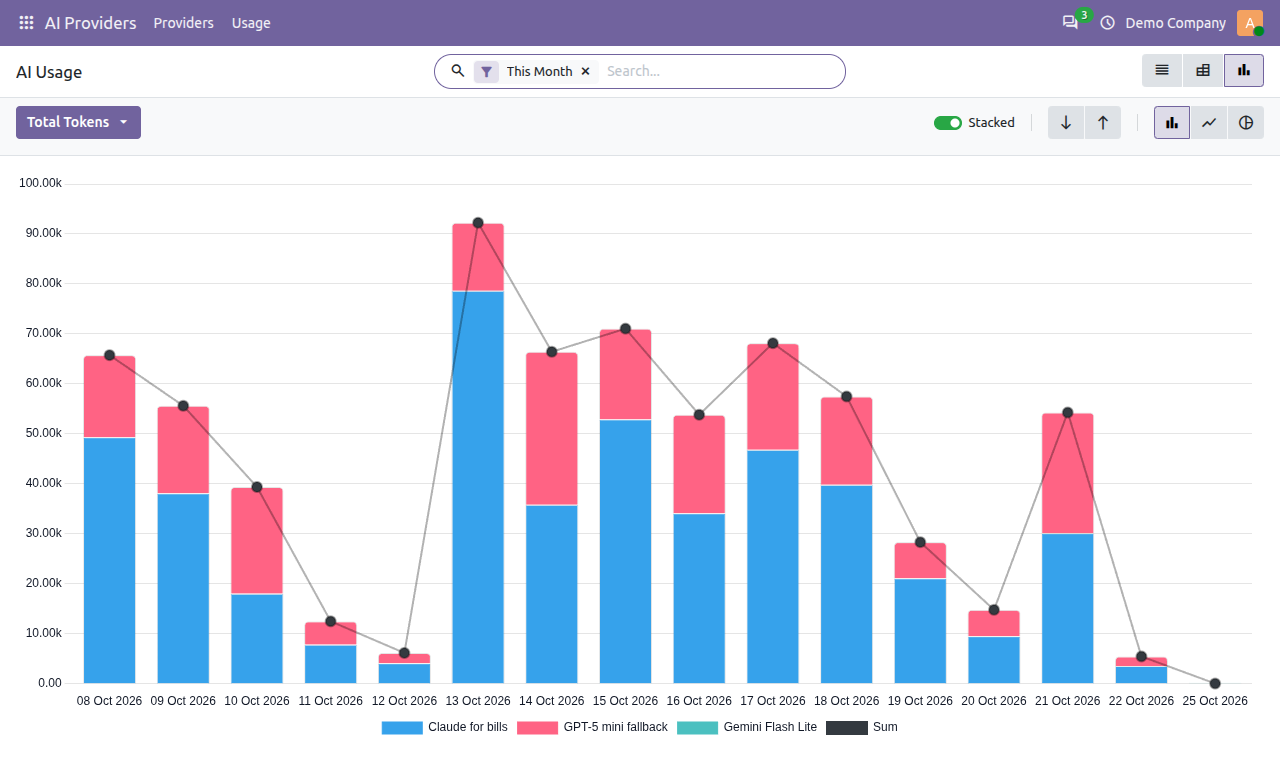
AI bills in Odoo rarely grow slowly. A loop, a large batch of PDFs or a forgotten scheduled action can burn through tokens overnight, and you only find out when the invoice arrives. The fix is a hard monthly token cap that stops calls before they are sent. The free AI Base module adds one to every AI provider in Odoo.
How AI providers bill you
Providers such as OpenAI, Anthropic and Google charge per token: roughly a few characters of text. Every request costs input tokens (what you send, including PDFs and images) plus output tokens (the answer). More modules and more automation mean more tokens.
Set a monthly token cap in 3 steps
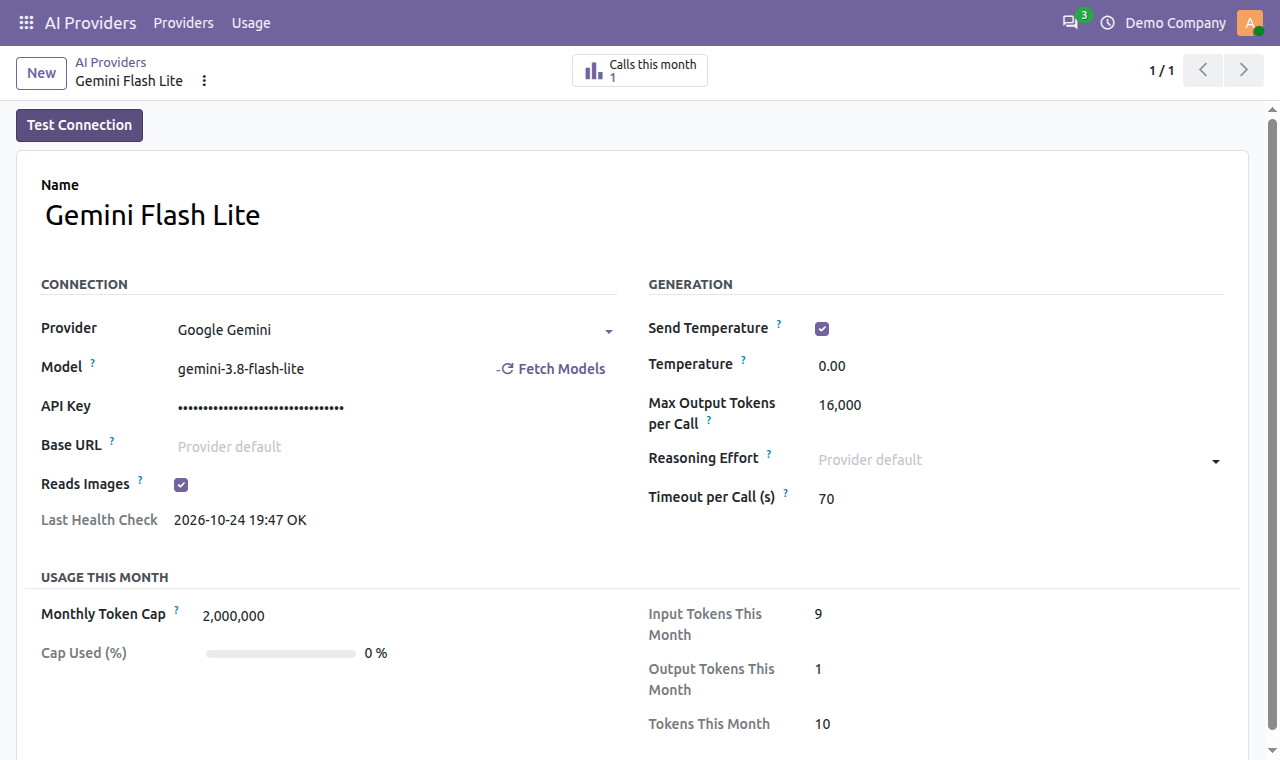
- Open AI Providers > Providers and select a provider.
- Enter a value in Monthly Token Cap (0 means unlimited).
- Save. From now on, once input plus output tokens reach the cap, further calls to that provider are refused before anything is sent or billed. They resume on the 1st of next month, or when an AI Manager raises the cap.

Turn a budget into a token cap
Divide your monthly budget by your model’s price per token. Example: with a budget of $20 and a blended price of $2 per million tokens, the cap is 10,000,000 tokens. Check your provider’s current price list for the real figure.
See where the tokens go
Every call is logged with module feature, user, linked record, tokens, duration and status. The graph view shows daily tokens per provider, so a spike stands out at once:

- Filter by feature to find the module that uses the most tokens.
- Use the pivot view to compare providers by month and move heavy jobs to a cheaper model.
- Add a backup provider so work continues on another model when one hits its cap.
FAQ
Does the cap count tokens or money?
Tokens: input plus output, per provider, per month. Convert your budget with the provider’s price per token.
Do failed answers count against the cap?
Yes, if the provider billed them. Answers that were refused, cut off or invalid still appear in the log and count against the cap, just as on your invoice.
Get started
Get AI Base free from the kalvyai Store, then follow the complete AI Base user guide for every setting, user roles and usage reports.
- Odoo
- AI costs
- Token cap
- Odoo AI
- AI Base
KalvyAI Engineering · Engineering team
The engineers who build, connect and fix business systems at KalvyAI: Odoo, ERPNext, Shopify and AI agents that work inside them with approvals, budgets and an audit trail.
Comments
No comments yet. Questions and corrections are welcome.
Rate this post or leave a comment